
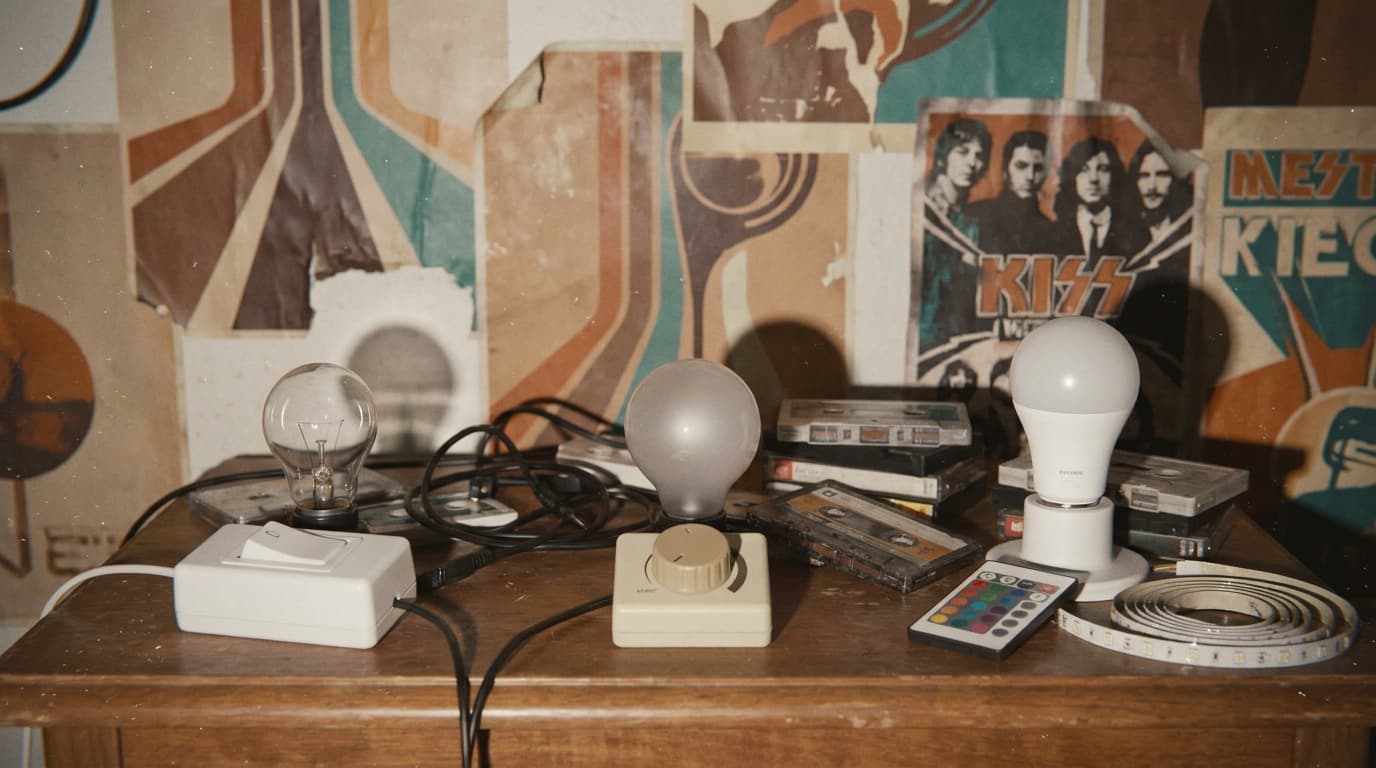
Smart Light vs Dimmable Light vs Dumb Light: What Is the Difference?
"How do I control my smart lights?" is a common question. But an even more common one — asked by homeowners, interior designers, electricians, and contractors alike — is "What is a smart light, actually?"
Many people assume that a dimmable light is a smart light. Or that a light with three colour temperatures is smart. Or that any LED strip can be controlled from a phone. None of these are automatically true.
This guide explains the real difference between three types of lights — standard dumb, dimmable dumb, and smart — so you know what you're actually buying and what it can (and can't) do.
Quick Answer
- Standard dumb light: On or off. No dimming, no colour change, no app control. The cheapest option.
- Dimmable dumb light: Can dim (brighter/darker) via a dimmer switch or dimmable LED, but still "dumb" — no app, no voice, no automation. Needs a dimmer module or dimmer switch to work.
- Smart light: Can be controlled via app, voice, automation, and scenes. May also dim, change colour temperature, or change colour. The "smart" part is the control layer, not just the bulb.
- Tri-colour light (warm/neutral/cool white): Has 3 preset colour temperatures built in. Not smart, not tunable — you can only pick from the 3 presets.
- LED strips: All start dumb. Can be made smart with a control module, depending on what outcome you want (dim only, tune temperature, or full RGB colour).
- Key principle: A dumb light (normal, tri-colour, or dimmable) + a smart dimmer/control module, OR a smart light — best paired with a smart switch to be truly smart.
The 3 types of lights explained
1. Standard dumb light (on/off only)
A standard light is either on or off. No dimming, no colour change, no app control, no automation. You flip a switch, the light turns on. You flip it again, it turns off.
What it can do: On/off. What it can't do: Dim, change colour, be controlled remotely, or respond to automations. Typical use: Basic lighting in utility rooms, corridors, or anywhere you just need light.
2. Dimmable dumb light (brightness control)
A dimmable light can go brighter or darker, but it's still "dumb" — there's no app, no voice control, no automation. The dimming is done by a dimmer switch or a dimmable LED paired with a dimmer module.
What it can do: On/off + dimming (brighter/darker). What it can't do: Be controlled by app, voice, or automation. Can't change colour temperature or colour. Important: Dimmable dumb lights use triac/phase dimming. To make them smart, you need additional hardware — a smart Zigbee triac dimmer control module wired behind the light. Without this module, the light can dim but can't be controlled by Home Assistant or any smart home system.
3. Smart light (app, voice, automation, scenes)
A smart light has a built-in control layer — it connects to your smart home system (e.g., Home Assistant) via Wi-Fi, Zigbee, Z-Wave, or Matter. It can be controlled via app, voice, automation, and scenes. Many smart lights also dim, change colour temperature, or change colour.
What it can do: On/off, dimming, app control, voice control, automation, scenes. Some can change colour temperature (CCT) or full RGB colour. What it can't do: Work without power (obviously). Some smart bulbs need the wall switch left on to stay connected. The key distinction: The "smart" part is the control layer, not just the bulb. A smart switch + a dumb bulb can be just as smart as a smart bulb — sometimes more so.
Tri-colour light vs smart CCT light
This is one of the most common confusions we see.
Tri-colour light (warm white / neutral / cool white):
- Has 3 preset colour temperatures built in
- You switch between them using the wall switch or a remote
- Not smart — no app, no automation, no voice control
- Not tunable — you can only pick from the 3 presets, not any temperature in between
Smart CCT light (tunable colour temperature):
- Can be set to any colour temperature (e.g., 2700K warm, 4000K neutral, 6500K cool, or anything in between)
- Controlled via app, voice, or automation
- Can change temperature automatically (e.g., warm in the evening, cool during the day)
The difference: Tri-colour is "pick one of 3." Smart CCT is "set any temperature you want, automatically or on demand."
Many clients, IDs, electricians, and contractors think a tri-colour light is smart because it has "3 colours." It's not — it's just a dumb light with a built-in temperature selector. To make it smart, you'd need a smart switch or a smart dimmer module behind it.
Comparison table
| Feature | Standard dumb | Dimmable dumb | Smart (switch or bulb) |
|---|---|---|---|
| On/off | ✅ | ✅ | ✅ |
| Dimming | ❌ | ✅ (with dimmer) | ✅ |
| App control | ❌ | ❌ | ✅ |
| Voice control | ❌ | ❌ | ✅ |
| Automation / scenes | ❌ | ❌ | ✅ |
| Colour/temperature tuning | ❌ | ❌ (fixed) | ✅ (some models) |
| Works offline | ✅ | ✅ | ✅ (if local) |
| Extra hardware for the light's function | None (on/off is built-in) | Dimmer module (for dimming) | None (control is built-in) |
LED strips: what outcome do you want?
All LED strips start dumb. Whether they become "smart" depends on the control module you pair them with. The question isn't "which LED strip should I buy?" — it's "what do you want the light to do?"
| What you want | LED strip type | Control module needed |
|---|---|---|
| Just brighten / dim | Single colour LED strip | Smart control module |
| Tune colour temperature | CCT LED strip (warm + cool) | Smart control module |
| RGB colour changing | RGB LED strip | Smart control module |
| RGB + warm/cool white | RGBCW or RGBW or RGBCCT LED strip | Smart control module |
Products we typically work with:
- Smart bulbs: IKEA smart bulbs, Philips Hue smart bulbs, Aqara smart lights
- Dimmer modules: Shelly dimmer module, Gledopto dimmer module
- LED controllers: Gledopto LED controllers
The key point: the LED strip itself is just a light source. The "smart" part comes from the control module wired behind it. A $20 LED strip + a $15 smart control module can do everything a $80 "smart LED strip" does — and often more, because you can choose the exact strip and controller separately.
Common confusions we see
These are real situations from our projects — not hypotheticals.
"I bought smart bulbs but they don't work with my switch." This happens when a smart bulb is installed behind a regular (non-smart) switch. When someone flips the switch off, the bulb loses power and goes offline. The fix is either a smart switch in decoupled mode (so the switch sends a signal instead of cutting power) or leaving the switch on and controlling the bulb via app/voice only. We cover this in detail in our smart switch and smart light setup guide.
"My contractor installed dimmable LEDs but I can't control them from my phone." A dimmable LED is not a smart light. It can dim (brighter/darker) but has no app, voice, or automation control. To make it smart, you need a smart dimmer module wired behind it. Many homeowners discover this after renovation, when the "smart" features they expected aren't there.
"I thought a smart switch and a smart bulb were the same thing." They're not. A smart switch replaces your wall switch and controls whatever light is connected to it. A smart bulb replaces the light itself and has its own control. They solve different problems — switches are better for rooms with multiple lights, bulbs are better for single fixtures or colour-changing needs. See our smart switch vs smart light guide for the full breakdown.
"My light has 3 colour temperatures, so it must be smart." No. A tri-colour light (warm/neutral/cool) has a built-in temperature selector — usually a switch on the fitting or a remote. It's not smart, not tunable, and not controllable by app or automation. It's just a dumb light with 3 presets. If you want tunable colour temperature (any value, not just 3 presets), you need a smart CCT light or a smart dimmer module behind a CCT strip.
"I bought an LED strip, why can't I control it from my phone?" All LED strips start dumb. To control one from your phone, you need a smart control module wired behind it. The strip itself is just a light source — the "smart" part is the controller. See the LED strip section above for which controller matches which outcome.
What to tell your ID or contractor
You don't need to be an expert. Just be aware of three things:
-
Know what outcome you want — "I want to dim the lights from my phone" vs "I want the lights to turn on automatically when I walk in" vs "I want to change the colour of the lights." Each requires different hardware.
-
Know the wiring requirement — if you're using smart switches or dimmer modules, the electrician needs to know:
- Whether the switch needs a neutral wire (many HDB flats don't have neutral at the switch)
- Whether the light is dimmable (non-dimmable LEDs + dimmer = flickering or damage)
- Whether decoupled mode is needed (smart switch + smart bulb in the same circuit)
-
The simplest rule of thumb — get smart switches (not smart bulbs). A smart switch controls whatever light is connected to it. It works with any bulb, any brand, any colour temperature. It's the most future-proof and flexible option. Smart bulbs are great for specific use cases (colour changing, single fixtures) but smart switches are the foundation.
For a deeper dive on wiring, switch types, and decoupled mode, see our smart switch and smart light setup guide.
When to involve LSHP
We don't install lighting hardware — that's your ID's, contractor's, or electrician's job. What we do:
- Commission smart lights (configure them in Home Assistant)
- Set up automations (scenes, schedules, presence-based triggers)
- Integrate lighting with other systems (aircon, curtains, security)
- Advise on lighting setup during renovation (which switches, which protocols, wiring requirements)
- Troubleshoot lighting issues (dropped devices, unresponsive switches)
We're happy to review your lighting plan during a free consultation and advise on what's needed for your smart home setup. See our services page for what we do, or contact us to talk through your home.
FAQ
Can I make a dumb light smart?
Yes. A standard dumb light can be made smart by installing a smart switch in front of it (replacing the wall switch) or a smart dimmer module behind it. The light itself stays the same — the "smart" part is the control module. This is often cheaper and more flexible than replacing every bulb with a smart bulb.
What's the difference between a smart switch and a smart bulb?
A smart switch replaces your wall switch and controls whatever light is connected to it — any bulb, any brand. A smart bulb replaces the light itself and has its own control chip. Switches are better for rooms with multiple lights; bulbs are better for single fixtures or colour-changing needs. See our smart switch vs smart light guide for the full breakdown.
Do I need a dimmer switch for smart lights?
Not necessarily. If you're using a smart switch that supports dimming (most do), you don't need a separate dimmer switch. The smart switch handles both on/off and dimming. You only need a dimmer module if you're keeping a dumb dimmable light and want to add smart control to it.
Can I use smart bulbs with regular switches?
Yes, but with a caveat. If the regular switch is turned off, the smart bulb loses power and goes offline. You can only control it when the switch is on. The fix is to leave the switch on and control the bulb via app/voice, or install a smart switch in decoupled mode so the switch sends a signal instead of cutting power.
My light has 3 colour temperatures — is it smart?
No. A tri-colour light (warm/neutral/cool white) has a built-in temperature selector — usually a switch on the fitting or a remote. It's not smart, not tunable, and not controllable by app or automation. It's a dumb light with 3 presets. If you want tunable colour temperature (any value, not just 3 presets), you need a smart CCT light or a smart dimmer module behind a CCT strip.
Can I make an LED strip smart?
Yes. All LED strips start dumb. You need a smart control module (e.g., Gledopto LED controller) wired behind the strip. The type of controller depends on what you want: single colour for dimming only, CCT for temperature tuning, or RGB/RGBCW/RGBW/RGBCCT for full colour changing.
What's the cheapest way to make my lights smart?
The most cost-effective approach is usually smart switches (no-neutral or with-neutral) paired with your existing dumb lights. This gives you app, voice, and automation control without replacing any bulbs or fittings. Smart bulbs are more expensive per point and need the switch left on to stay connected.
Related guides
- How to control smart lights in Singapore — the 4 layers of lighting control (switch, app, voice, automation)
- Smart switch and smart light setup guide — wiring, decoupled mode, and load types
- Smart home protocols: Matter, Zigbee, Z-Wave — which protocol to choose for your lighting
- Smart home cost guide for Singapore — what smart lighting costs for HDB, condo, and landed
- Smart home energy savings in Singapore — how automated lighting reduces electricity bills