
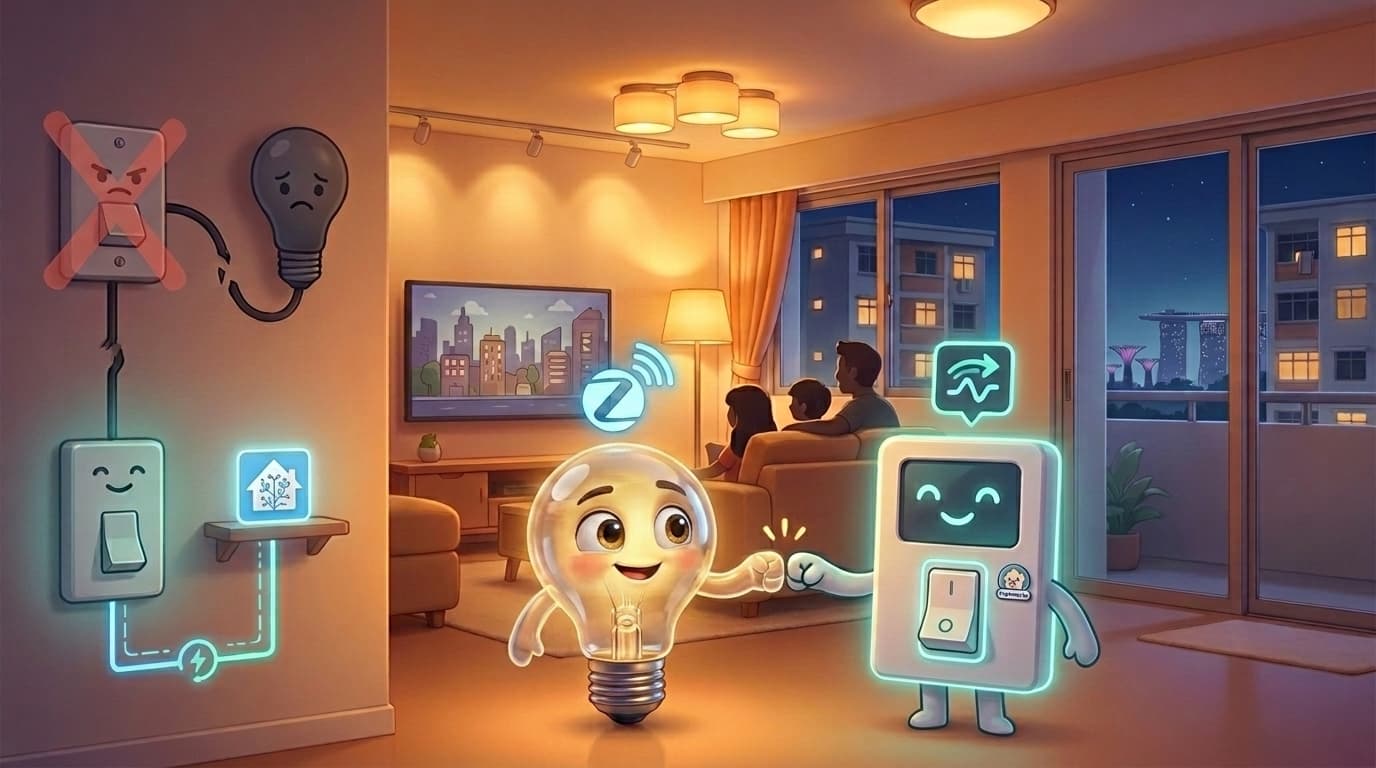
Smart Switches and Smart Lights: Why They Must Be Set Up Together

You open a lighting catalogue and see smart switches. You see smart lights. They both sound smart. Surely you just install them and everything works together automatically?
Not quite.
This is one of the most common points of confusion we encounter when helping homeowners set up their smart homes. And it is not your fault, nobody explains this part clearly. So let us fix that.
This guide covers the wiring and configuration side specifically. If you're after the bigger picture of how switches, voice, apps, and automation all fit together, see our guide on how to control smart lights.
Quick Answer
- Baseline setup: smart switches with regular lights
- Full smart-lighting setup: smart switches with smart lights, configured in decoupled mode
- Setup to avoid: smart lights with regular wall switches
- One key rule: a smart switch controlling a smart light should not cut power to the bulb
Start Here: What We Actually Recommend
Before anything else, here is our standard recommendation:
Smart switches with regular (dumb) lights: this is the foundation we recommend for most homes. Simple, reliable, and gives you most of what you need.
Smart switches with smart lights: if you want the full experience, like colour-changing bulbs or precise dimming scenes, this combination works well. But it needs to be set up properly, which is what this article is about.
Smart lights with regular (dumb) switches: we strongly advise against this.
| Setup Choice | Recommended? | Why |
|---|---|---|
| Smart switch + regular light | Yes, baseline | Simple, stable, low maintenance |
| Smart switch + smart light | Yes, for full experience | Best control and scenes when configured correctly |
| Smart light + regular switch | No | Bulbs lose power, drop offline, automations fail |
If you are still deciding how deep to go, this guide on what smart homes can actually do gives a practical overview.
Why Smart Lights and Dumb Switches Are a Problem
Imagine you have a Zigbee smart bulb installed. It looks like a normal bulb but it is actually a small computer that stays connected to your smart home network even when the light appears to be off.
Now someone walks over and flips the wall switch off.
The bulb loses power completely. It drops off your smart home network. Your automations cannot reach it. Your app cannot control it. It is now just a very expensive regular bulb, until someone physically turns the switch back on.
And here is the human behaviour problem: no matter how many times you tell people not to touch the wall switch, they will touch the wall switch. It is muscle memory. Guests will definitely do it. Kids will do it. You will do it yourself at 11pm half asleep.
This is why smart lights need a smart switch, one that is set up in a very specific way.
The Part Nobody Explains: Relay Level vs Software Level
A regular wall switch works at what we call the relay level. Think of the relay as a physical gate that electricity passes through. When you flip the switch off, the gate closes, power stops, light goes off.
A smart switch can work the same way, or it can work differently.
When you pair a smart switch with a smart light, you do not want the switch cutting power at all. The smart bulb needs constant power to stay connected and to be controlled properly. What you actually want is for the switch button to send a software signal, a message that says "toggle this light", rather than physically cutting electricity.
The difference is:
- Relay control: the switch physically cuts power. Bad for smart bulbs.
- Software control: the switch sends a signal, power stays on, and the smart home system handles the rest.
If you want a cleaner understanding of how logic is structured in Home Assistant, this guide on automations, scripts, and scenes is useful.
What We Actually Do During Setup
When we set up a smart switch and smart light together, we do not just connect them separately and call it done. There are a few additional steps that make everything work properly.
Step one: Decoupled mode.
Smart switches like Aqara have a setting called decoupled mode, sometimes called detached mode. When we turn this on for a switch gang, that button no longer controls its own relay. It no longer cuts power. Instead, it just sends a signal.
Step two: Automation.
Because that switch button no longer controls its relay directly, we now need to tell the smart home system what should happen when someone presses it. We create an automation: when this button is pressed, toggle that smart light between off and its last active state.
This means pressing the switch feels completely normal to whoever is using it. The light goes on and off as expected. But behind the scenes, the bulb never loses power. It stays connected. Your automations still work. Your scenes still work.
Step three: Dashboard setup.
On your Home Assistant dashboard, we show the light as the controllable entity, not the switch gang. This matters because the switch gang in decoupled mode is essentially just a button. The light is what has the actual state, brightness, colour, on or off. Controlling the light directly gives you the full experience.
What Happens If You Skip This Setup
If someone installs a smart switch and a smart light without decoupled mode configuration, here is what typically happens:
The switch controls the relay as normal. Every time someone presses it off, the bulb loses power. The bulb drops off the Zigbee network and has to reconnect when power comes back. Automations start behaving strangely. You press a button in the app and nothing happens because the bulb is unreachable.
It feels like the devices are broken. They are not broken, they are just not set up to work together.
The Simple Version
If you want to remember just one thing from this article, remember this:
A smart switch paired with a smart light should never cut power to that light. The switch becomes a button that talks to the smart home system, and the smart home system controls the light. Power stays on always.
That one concept is what separates a frustrating smart home from one that just works.
Quick FAQs
Common questions in 30 seconds:
- Can smart switches and smart lights work together? Yes. They work very well when configured as one system.
- What is decoupled mode in simple terms? It makes the switch behave like a button signal instead of cutting electrical power.
- Why do smart bulbs keep going offline? Most commonly because wall-switch relay control is cutting power to the bulb.
- Can I keep my existing wall switch behavior? If you are using smart bulbs, relay-style power cutting should be avoided for that circuit.
Thinking About Smart Lighting for Your Home?
Getting the switch and light combination right from the start saves a lot of headaches later. If you are planning a new setup or trying to fix one that is not behaving, we are happy to take a look.
If your home still has no-neutral constraints, this write-up on neutral vs no-neutral wiring is a useful companion read before you buy hardware.
Planning smart switches and smart lights for your home?
We can help you set up the control flow properly so your smart lights stay stable and easy to use day to day.
Get your lighting setup reviewed