
Smart Video Doorbells and Home Assistant: What to Know Before You Buy (Singapore)

Most video doorbell reviews compare megapixels, field of view, and night vision quality. Those specs matter, but they do not tell you what you actually need to know before buying one for a home, particularly one set up with Home Assistant.
Quick Answer
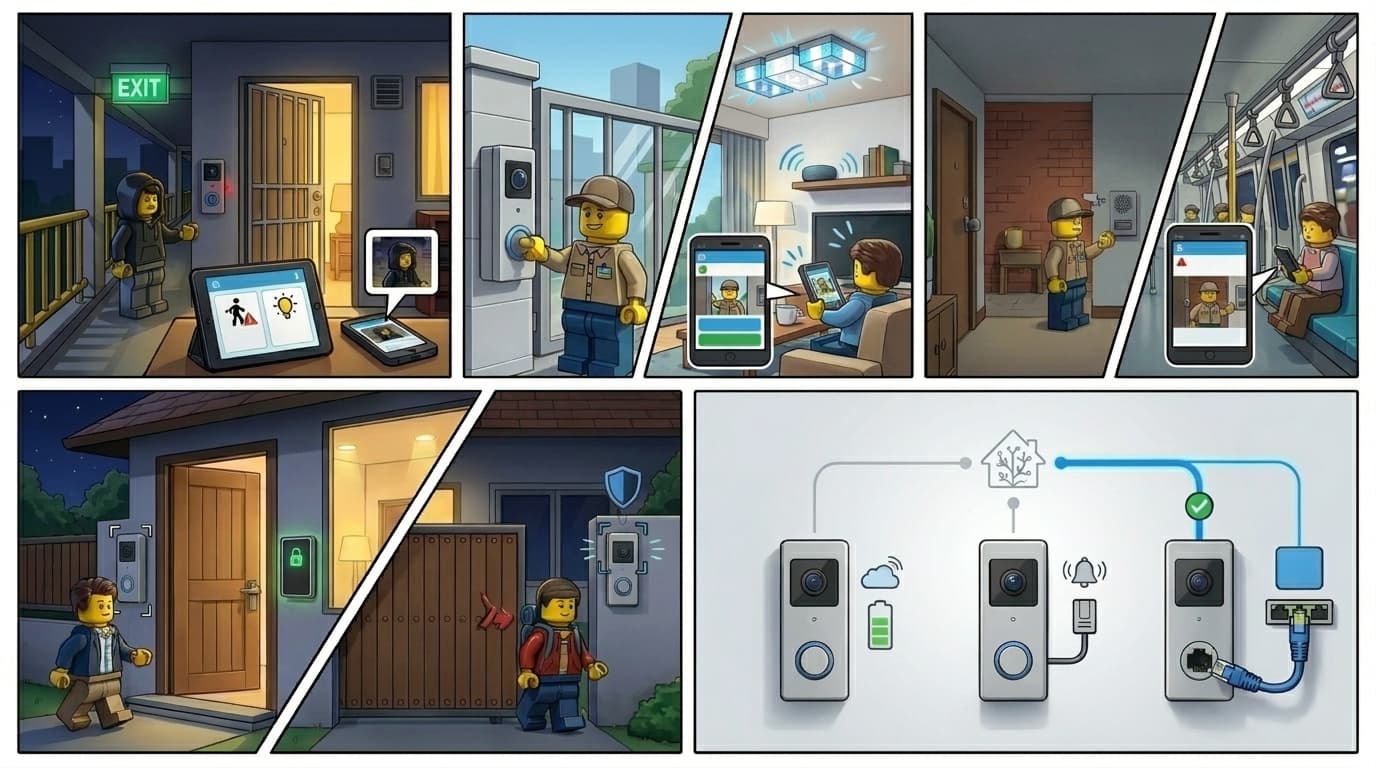
- Power method is the single most consequential choice: battery, wired, or PoE determines integration depth, stability, and whether you need extra hardware to connect to Home Assistant.
- PoE doorbells integrate most cleanly with HA: always-on, direct local connection, no hub or NVR needed. They require a network cable to the door, which is straightforward to plan during renovation.
- Battery doorbells often need the brand's NVR or hub to expose full functions to HA. The installation convenience comes with integration trade-offs.
- A video doorbell properly integrated into HA enables automations a standalone device cannot: loitering alerts without anyone pressing the button, remote door unlock from a notification, and local AI facial recognition.
- Brands that support open protocols (RTSP, ONVIF) or carry official Works with Home Assistant certification are significantly easier to work with and maintain long-term.
What becomes possible when your doorbell is in Home Assistant
A standalone doorbell notifies you when someone presses the button. A doorbell integrated into Home Assistant can do considerably more, and much of it happens without anyone touching anything.
A note before the examples: several of these automations depend on the doorbell exposing human detection events to Home Assistant. Not all brands do this reliably, which is exactly why the open vs walled garden section later in this guide matters.
Loitering and passive presence detection
Human detection on modern cameras can trigger an HA automation the moment a person appears in frame, regardless of whether they press the bell. You receive a push notification with a snapshot. Outdoor lights turn on. A speaker plays an announcement.
Doorbell press cascade
When someone rings, HA can trigger a chain of responses simultaneously: indoor lights flash (particularly useful in households with hearing-impaired members), a smart speaker announces the visitor, and a push notification with a live snapshot arrives on your phone. If your smart lock is also in HA, that notification can include an actionable button to unlock the door remotely. One tap, door opens, no app-switching required. We cover the lock side of this in our companion guide on smart locks and Home Assistant.
Two-way audio
When the notification arrives, some HA dashboards and companion app setups let you speak back through the doorbell's speaker directly. This is useful for directing a delivery rider where to leave a parcel, or letting a visitor know you are on your way down. Support depends on the doorbell and how it is integrated into HA. PoE doorbells with WebRTC support handle this best.
Nobody home, someone at the door
When HA knows everyone is out via presence detection, a doorbell press triggers a different response: an outdoor speaker plays a short message, and you receive a priority notification with a live view. You can respond from wherever you are.
Arrival and departure routines
Paired with a smart lock, the doorbell camera can participate in leave-home and arrive-home automations: on departure, the last person leaving triggers the camera to switch into active monitoring mode and the lock to engage. On arrival, the camera detects you approaching and HA begins the welcome routine before you reach the door.
Local AI facial recognition (advanced)
With Frigate running locally as the camera AI, and a facial recognition service like CompreFace running on the same server, HA can learn household faces. A recognised face at the door triggers an unlock automation. An unknown face triggers a notification instead. We have written about running local AI with Home Assistant for those interested in this direction.
This is not a beginner project. It requires a capable HA server, preferably with a Coral TPU or GPU for Frigate's inference, and meaningful configuration effort. The payoff is that the entire pipeline runs on your home network with no cloud involvement.
These automations only work when both the doorbell and lock are in HA and can communicate with each other. Two standalone devices (each living in their own app) cannot do this regardless of how capable either product is individually.
Power method determines your options
The battery versus wired versus PoE decision is not just about how the camera gets power. It determines the camera's behaviour, how well it integrates with HA, and whether you need additional hardware in the chain.
Battery doorbells
Battery cameras conserve power by sleeping between events. The radio wakes on motion or a doorbell press, captures what it needs, and returns to sleep. Two consequences follow from this for HA integration.
First, always-on live view is generally not possible. A sleeping camera cannot stream.
Second, many battery doorbells need the brand's NVR or dedicated hub to fully expose their functions to HA. The camera connects to the hub, and the hub acts as the intermediary. Without it, you often get limited functionality in HA: motion events only, or nothing at all.
Battery doorbells are easy to install anywhere without cable runs. That installation convenience is real, but it comes at the cost of integration depth.
Wired (existing doorbell wire)
Some video doorbells accept connection to existing doorbell chime wiring, which typically runs at 8V to 24V AC. This keeps the camera continuously powered, making always-on live view possible and integration more stable.
For Singapore homes, this option requires some caution. HDB flats have variable wiring: some have low-voltage AC chime circuits that smart doorbells can tap into, but others use DC-powered systems or have a doorbell point with no transformer-backed circuit at all. Landed properties tend to be more predictable, but still vary. Have an electrician verify your existing wiring type and voltage before buying a wired-chime doorbell. Do not assume compatibility.
PoE doorbells
A single ethernet cable carries both power and data. The camera is always on and connects directly to your local network without WiFi dependency or a separate hub.
PoE doorbells tend to integrate most directly with HA. RTSP streams, ONVIF support, and native HA integrations are common in this category because the typical PoE buyer cares about local control. Doorbell press events, motion triggers, and human detection are all available locally without cloud routing.
The installation requirement is a network cable to your front door. During renovation, this is a straightforward cable run that an experienced electrician can conceal cleanly. For Singapore homes, the concern about cable aesthetics at an outdoor camera position is largely unnecessary. The camera sits outside the house, and a tidy cable route is a planning matter, not a difficulty. Retrofitting an existing home takes more thought about the route, but it remains doable.
If you have a choice between installing a battery doorbell now versus planning a PoE run during the next renovation, the PoE path will serve a Home Assistant home better over the long term.
You will still need the brand app, and that is fine
Even when a video doorbell integrates well with Home Assistant, the brand's own app remains useful. It is a practical division of labour between the two tools.
Detection zone configuration. Most video doorbells let you draw detection zones visually on the camera view, marking which areas should trigger human detection and which to ignore (roads, neighbouring gates, trees that move in wind). Home Assistant does not replicate this visual interface. Setting zones in the brand app is straightforward; configuring the equivalent in HA through raw parameters is not. Set zones in the app once, and HA picks up the resulting events.
Enabling local access. Some cameras ship with RTSP and ONVIF disabled by default. These need to be turned on in the brand app before HA can discover and connect to the device locally. This is a one-time setup step, not an ongoing dependency on the app. For a broader explanation of what these protocols are and how they sit alongside Zigbee, Matter, and WiFi in a Home Assistant home, our smart home protocols guide has the full picture.
After initial configuration, the brand app can stay in the background. HA handles the automations, notifications, and integration with the rest of your home. The brand app handles device-level configuration that needs a visual interface to do properly.
Open vs walled garden
The single biggest predictor of how well a video doorbell works with Home Assistant is not the hardware specs. It is the brand's approach to how their devices interact with other systems.
Open-protocol brands expose RTSP or ONVIF streams, support standard camera discovery, and either carry official HA certification or make integration straightforward without actively blocking it. Reolink receiving official Works with Home Assistant certification in April 2025 is one example. Hikvision's native RTSP support is another. These brands make HA integration a tractable problem.
Walled garden brands restrict access. TP-Link Tapo is a useful example from our own installations: the HA integration requires a custom community HACS repository rather than native support, and even then, features including human detection are not exposed. Tapo keeps those functions proprietary to push users toward the Tapo ecosystem and subscription features. The limitation is a product decision, not a technical constraint of HA. We have covered why this pattern causes long-term problems for Home Assistant users in more detail, focused on switches but the same logic applies to cameras.
Ring and Google Nest occupy a different position: they are not hostile to integration, but all communication routes through their cloud. HA can talk to them only via cloud APIs. Local control is not possible. For a camera at your front door, why local control matters applies just as much as it does for other smart home devices.
Check the integration story before the spec sheet. A camera with solid local integration will serve a Home Assistant home better than a higher-spec camera locked behind a proprietary cloud.
Brand landscape for Singapore
Here is where specific brands sit, split between what we have installed and what comes from research and community reports.
From our own installations
Reolink PoE video doorbell
Stable, reliable, and good value for what it delivers. Reolink received official Works with Home Assistant certification in April 2025, bringing native HA integration without HACS. Doorbell press events, motion triggers, human detection, and RTSP live stream all work locally. Before HA can discover the device, RTSP and ONVIF need to be enabled in the Reolink app. This is a one-time step.
Requires a PoE switch or PoE injector and a network cable run to the door.
Reolink battery video doorbell
The battery version uses the same hardware family but needs a Reolink NVR or Reolink Home Hub to integrate with HA. Without that intermediary, HA cannot access the camera's full function set. If you already have a Reolink NVR for other cameras, this doorbell slots in cleanly. If not, it adds hardware and complexity compared to the PoE version.
Aqara G4 battery doorbell
Integrates into HA via HomeKit Controller. Most functions are exposed including human detection events. Initial configuration (detection zones, sensitivity, field of view) is done in the Aqara app where a visual interface makes it manageable. After setup, HA picks up events reliably.
As with all battery doorbells, always-on live view has limitations due to the sleep cycle. The G4 is a workable option if a cable run is not possible and you are already using an Aqara hub in your setup.
TP-Link Tapo wired video doorbell
Requires a custom community HACS integration rather than native HA support. Over time, integration reliability degraded: certain functions stopped being exposed. The root issue is Tapo's product philosophy: devices are designed to keep users in the Tapo ecosystem, and features like human detection are kept proprietary. Walled garden by design. Worth knowing before you buy.
Based on research and community reports
We have not personally installed the following. What follows is based on documentation and community reports.
Hikvision
Hikvision has a native HA integration supporting RTSP streaming and binary sensors for motion events. For their video doorbell and intercom range, deeper integration is available through two separate community projects: one adds WebRTC two-way audio locally (available via HACS), and another adds doorbell press events, door relay control, and call management via a separate Supervisor add-on repository. These are distinct tools that need to be set up separately; no single addon covers everything. Hikvision is professional-grade hardware, widely available in Singapore. The setup involves more configuration than consumer brands, but the local integration depth is strong.
Google Nest Doorbell
Available in Singapore in both battery and wired versions. HA integration works via Google's Smart Device Management (SDM) API, which requires a one-time $5 developer account and routes everything through Google's cloud. There is no local integration path. Events and video streams depend on Google's servers.
Ring
Official HA integration exists. All communication goes via Ring's cloud. There is no local connection regardless of your network setup. Ring is owned by Amazon and the integration is stable, but for a Home Assistant setup where local control is a priority, this is a meaningful limitation. We have covered why building a smart home around WiFi-only cloud devices causes problems over time in more detail.
Eufy
Eufy sells both battery and PoE doorbell options in Singapore (eufy.com/sg). HA integration is through a community HACS integration (eufy_security) rather than an official path. Integration requires enabling push notifications in the mobile app. Reliability is a significant concern: Eufy is actively migrating to a new platform and removing the legacy API access that this integration depends on. This is not just per-model variation: the integration as a whole faces structural fragility. Worth researching the current community status before committing to Eufy hardware for a Home Assistant setup.
A word on 2-in-1 doorbell and lock combos
Devices that combine a video doorbell and a smart door lock into one unit are increasingly common, particularly from Chinese OEM manufacturers whose products appear under various local and regional brand names in Singapore.
The concept is appealing: one device at the door, one installation job. In practice, these almost always make a poor trade-off for a Home Assistant home.
The lock component drives the problem. Smart locks are security-critical hardware, and many manufacturers treat them as closed systems by design: proprietary protocols, no open API, no third-party access. When that lock is bundled with a doorbell into one unit, the camera inherits the same closed ecosystem.
Many combo units use Tuya as their underlying platform. This seems promising until you check the details: HA's Tuya integration officially does not support the lock platform. The Tuya integration documentation states this explicitly. So even on a Tuya-based combo, HA may reach the camera stream if ONVIF is enabled, but cannot control the lock. The primary function of the device is the one that is not exposed.
Cloud dependency is nearly universal across this category. Because these devices run their own ecosystem, remote functions route through the manufacturer's servers. Our smart home cybersecurity guide covers what this kind of dependency means for home security in practice.
Combo units from more established brands face the same structural constraints. The Eufy Video Smart Lock S330 (lock, camera, and doorbell in one unit) has a community HACS integration, but it is unreliable. The device works standalone via the Eufy app with onboard storage, and an optional HomeBase 3 hub adds expanded storage and ecosystem integration. Matter and HomeKit are not supported, and the HACS integration faces the same API fragility as the rest of the Eufy community integration.
If you want a video doorbell and a smart lock at your front door, two separately chosen devices from HA-friendly brands will do more, more reliably, than one combo unit. You also keep the flexibility to upgrade either component independently without replacing both.
FAQ
Do I need an NVR to use a video doorbell with Home Assistant?
It depends on the doorbell type. PoE and wired doorbells with open protocols (RTSP, ONVIF) can connect directly to HA without an NVR. Battery doorbells from some brands (including the Reolink battery doorbell) require the brand's NVR or hub to expose full functions to HA. If you want to avoid the extra hardware, a PoE doorbell is the simpler path.
Can I use a video doorbell with Home Assistant without a cloud subscription?
Yes, if you choose a doorbell with local integration support. PoE doorbells that expose RTSP streams and support ONVIF work entirely on your local network with no subscription needed. Brands like Reolink (officially Works with Home Assistant certified) and Hikvision (native RTSP) support this. Cloud-dependent doorbells like Ring and Google Nest require active cloud accounts to function with HA.
What is the difference between RTSP and ONVIF for doorbell cameras?
RTSP (Real-Time Streaming Protocol) is the standard used to pull a live video stream from a camera into Home Assistant or an NVR. ONVIF is a broader standard that covers device discovery, event notifications, and camera control in addition to streaming. For Home Assistant, having both enabled on a camera gives you reliable stream access and event triggers. Both are typically disabled by default on consumer cameras and need to be turned on in the brand app once during setup.
Can a video doorbell do facial recognition locally without a cloud subscription?
Yes, with the right setup. Frigate (a local NVR addon for Home Assistant) handles camera management and person detection on your own hardware. Paired with a local facial recognition service such as CompreFace, HA can identify household members and trigger automations accordingly. This requires a capable Home Assistant server, preferably with a Coral TPU or GPU for Frigate's AI inference. It is an advanced setup, but it runs entirely on your home network with no cloud involved and no ongoing subscription.
Is running a LAN cable for a PoE doorbell worth it in a Singapore home?
Yes. The integration reliability difference between a PoE doorbell and a battery doorbell is meaningful for a Home Assistant setup. PoE doorbells are always-on, connect directly to your network, and do not need a hub or NVR as an intermediary. For HDB and condo homes doing renovation, planning a LAN cable run to the front door is straightforward and the cable can be concealed cleanly. For landed homes, the same applies with more route options. The common concern about cable aesthetics at an outdoor camera position is generally overstated.
Planning a video doorbell setup for your Singapore home?
We have installed doorbells across HDB flats, condos, and landed properties. Tell us what you are working with and we will help you figure out the right approach.
Talk to us