
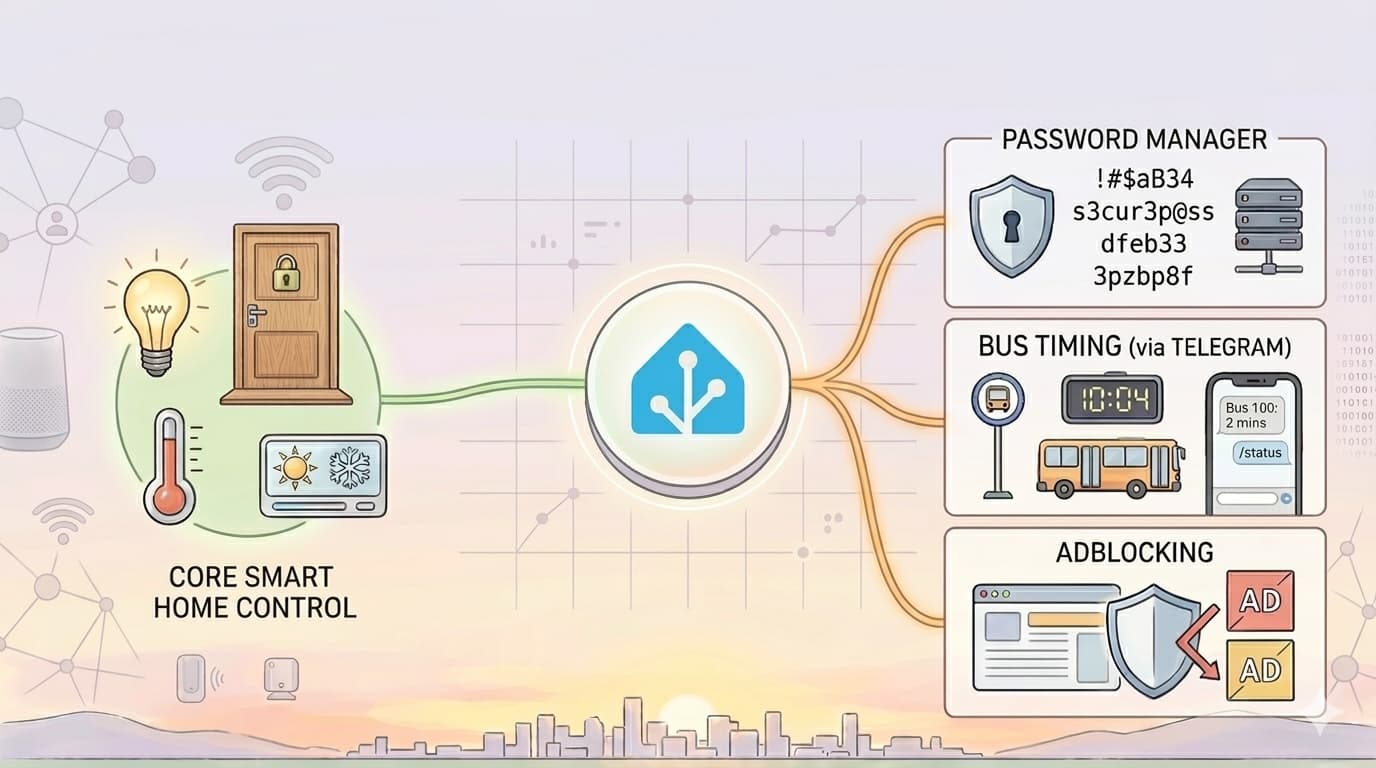
The Unexpected Powers of Home Assistant

We could not find a good stock photo, so nanobanana to the rescue.
Most people hear "Home Assistant" and think about lights, fans, and aircon. Fair enough, that is usually where people start.
To be honest, I already knew before using it that Home Assistant could do much more than smart home basics. But after running it daily, it really felt less like a smart home app and more like a control room for random life ideas that somehow become useful.
These are three unexpected things we actually use.
Quick Answer
- Home Assistant can run far beyond lights and aircon: a self-hosted password manager (Vaultwarden), whole-home ad blocking (AdGuard), and even a Telegram bot for nearby bus timings.
- Vaultwarden gives you a self-hosted password vault within the same Home Assistant ecosystem, keeping data location and backups under your control.
- AdGuard filters ads and tracking at the network level, so every device benefits without installing extensions one by one, though some sites may need whitelisting.
- The bus timing bot replies with nearby stops and timings when you send your location via Telegram, no separate app needed.
Running Our Own Password Manager With Vaultwarden
This one sounds technical, but the idea is simple. Instead of relying only on a cloud service, we host our own password vault at home.
If you want to explore this route, you can check the Home Assistant Vaultwarden add-on here: Vaultwarden Add-on.
Vaultwarden is the engine, and Home Assistant keeps it within the same ecosystem we already use daily. For me, it is having one familiar place to manage services and troubleshoot quickly when something acts up.
For normal users, this is the practical part: your logins are still easy to use across devices, but the data location and backup routine are under your control. It reduces the chance of "eh why cannot login" moments when you need access fast.
Blocking Ads for the Whole Home With AdGuard
Normally, if you want fewer ads, you install blockers one by one on each device. Phone, tablet, laptop, TV, repeat again.
If you want to try it, this is the Home Assistant AdGuard Home add-on: AdGuard Home Add-on.
If you have heard of Pi-hole before, this is a similar idea: block unwanted stuff at the network level, not device by device.
With AdGuard plus Home Assistant, we do this at network level. Once set up, many ads and tracking domains are filtered before they reach your devices.
The practical result is not just "looks cleaner." Pages open faster on weaker devices, fewer scammy banner ads show up for kids and older family members, and there is less chance people accidentally tap misleading download buttons. Also, you set it once at home and everyone benefits without installing extensions one by one.
Disclaimer though, it is not a perfect solution. Some ads still get through, and you may need to whitelist certain sites that break when blocked. But overall, it is a noticeable improvement in our daily browsing experience.
Checking Bus Timings via Telegram by Sending Location
This is my favourite because it is pretty useful.
I send my location pin to a Telegram bot, and Home Assistant replies with nearby bus stops and timing estimates. No need to open multiple apps and tap around when I am already rushing out.
In simple terms, it goes like this:
- Send location in Telegram
- Home Assistant reads coordinates
- It looks up nearby stops
- It replies with next buses
Small workflow, but it solves a real daily decision. If the next bus is 2 minutes away, I walk faster. If it is 10 minutes, I buy a drink first. That tiny bit of certainty adds up over a week.
Food for Thought
If you only know Home Assistant as a lighting dashboard, you are not wrong. But that is only chapter one.
The fun starts when you ask, "Can this automate one annoying thing in my day?" Usually, the answer is probably yes.
If you are curious but not sure where to begin, start with one small idea. Once the first one works, the rest comes naturally.
FAQ
Do I need separate hardware to run these add-ons?
No. These run as add-ons within the same Home Assistant instance you already use for smart home control.
Is the ad blocking 100% effective?
No, it's not perfect. Some ads still get through, and you may need to whitelist certain sites that break when blocked.
Where can I find these add-ons if I want to try them?
Vaultwarden and AdGuard Home both have official Home Assistant add-ons linked in this article, and the bus bot uses Home Assistant's built-in Telegram bot integration.
Not sure where to start?
We help homeowners across Singapore set up Home Assistant systems tailored to their needs.